
I promise that this is the final post dealing with reading a mouse in a terminal window. It’s a weird thing to do without a specific library in C, but made possible thanks to ANSI codes and the standard I/O programming necessary to read and store the data.
The point of pointing and clicking a mouse is to perform some sort of activity at the clicking (or pointing) location. The code from last week’s Lesson swallows, stores, and uses the data. A lot of terminal manipulation happens to accomplish this task; you must properly configure things to capture the endless flow of mouse input. But do these modifications otherwise affect text processing?
The following code is a teensy update to what was presented in last week’s Lesson. The new action takes place primarily in the main() function, in the while loop that processes input, both text and mouse:
2026_03_07-Lesson.c
#include <stdio.h>
#include <stdlib.h>
#include <ctype.h>
#include <termios.h>
#include <unistd.h>

#define clear() printf("\e[H\e[2J")
#define moveto(a,b) printf("\e[%d;%dH",b,a)
#define mouse_enable() printf("\e[?1000h")
#define mouse_motion() printf("\e[?1003h")
#define mouse_extended() printf("\e[?1006h")
#define mouse_disable() printf("\e[?1000l")

struct mouse_data {
    int button;
    int column;
    int row;
};

/* read an integer from a string
   Exercise 2026_02 */
char *extract(char *s)
{
    static char *sp;

    /* check for recall */
    if( s != NULL )
        sp = s;
    else
        while( isdigit(*sp) )
            sp++;

    /* find the next digit */
    while( *sp != '\0' )
    {
        if( isdigit(*sp) )
        {
            return(sp);
        }
        sp++;
    }

    return(NULL);
}

/* obtain values from mouse data */
void read_mouse(char *b, struct mouse_data *m)
{
    m->button = atoi(extract(b));
    m->column = atoi(extract(NULL));
    m->row = atoi(extract(NULL));
}

int main()
{
    struct termios original,noecho;
    struct mouse_data mickey;
    char buffer[13];
    int key;

    /* obtain terminal configuration */
    tcgetattr(fileno(stdin),&original);
    noecho = original;        /* duplicate */
        /* enable raw input */
    noecho.c_lflag = noecho.c_lflag ^ ICANON;
        /* disable full duplex */
    noecho.c_lflag = noecho.c_lflag ^ ECHO;
        /* update terminal definition */
    tcsetattr(fileno(stdin), TCSANOW, &noecho);

    /* enable mouse reporting */
    mouse_enable();
    mouse_motion();
    mouse_extended();
    /* remove line buffering */
    setvbuf(stdin,NULL,_IONBF,0);

    /* read stdin */
    clear();
    puts("Play with the mouse; press Enter to end");
    while( (key=getchar()) != '\n' )
    {
        if( key==0x1b )
        {
            read(fileno(stdin),buffer,12);
            buffer[12] = '\0';        /* make it a string */
            read_mouse(buffer,&mickey);
            if( mickey.button == 0 )
                moveto(mickey.column,mickey.row);
        }
        else
            putchar(key);
    }

    /* clean-up */
    moveto(1,2);        /* setup the cursor */
    mouse_disable();    /* disable mouse reporting */
    tcsetattr(fileno(stdin), TCSANOW, &original);
    return 0;
}
The issue presented in this code is to determine whether input is coming from the mouse or is generated by the keyboard. I’m certain that a more sophisticated way exists to make this determination, but I’m sticking with streaming input. So, both mouse data and keyboard data arrive via the getchar() function, which is part of the while loop’s condition:
while( (key=getchar()) != '\n' )
To determine whether the input is an ANSI mouse sequence, an if test checks for the escape character:
if( key==0x1b )
When true, 12 characters are read from standard input and processed. No action is taken unless the value of the mouse button pressed is zero, meaning a left (main) click: if( mickey.button == 0 ) If so, the cursor is relocated to the mouse click position in the terminal window: moveto(mickey.column,mickey.row);
When the escape key isn’t pressed, the character input is sent to standard output: putchar(key);. The effect is that you can click the mouse in the terminal window and then type some text. But keep in mind that when you press the Enter key, the program stops.
Figure 1 illustrates a sample run.
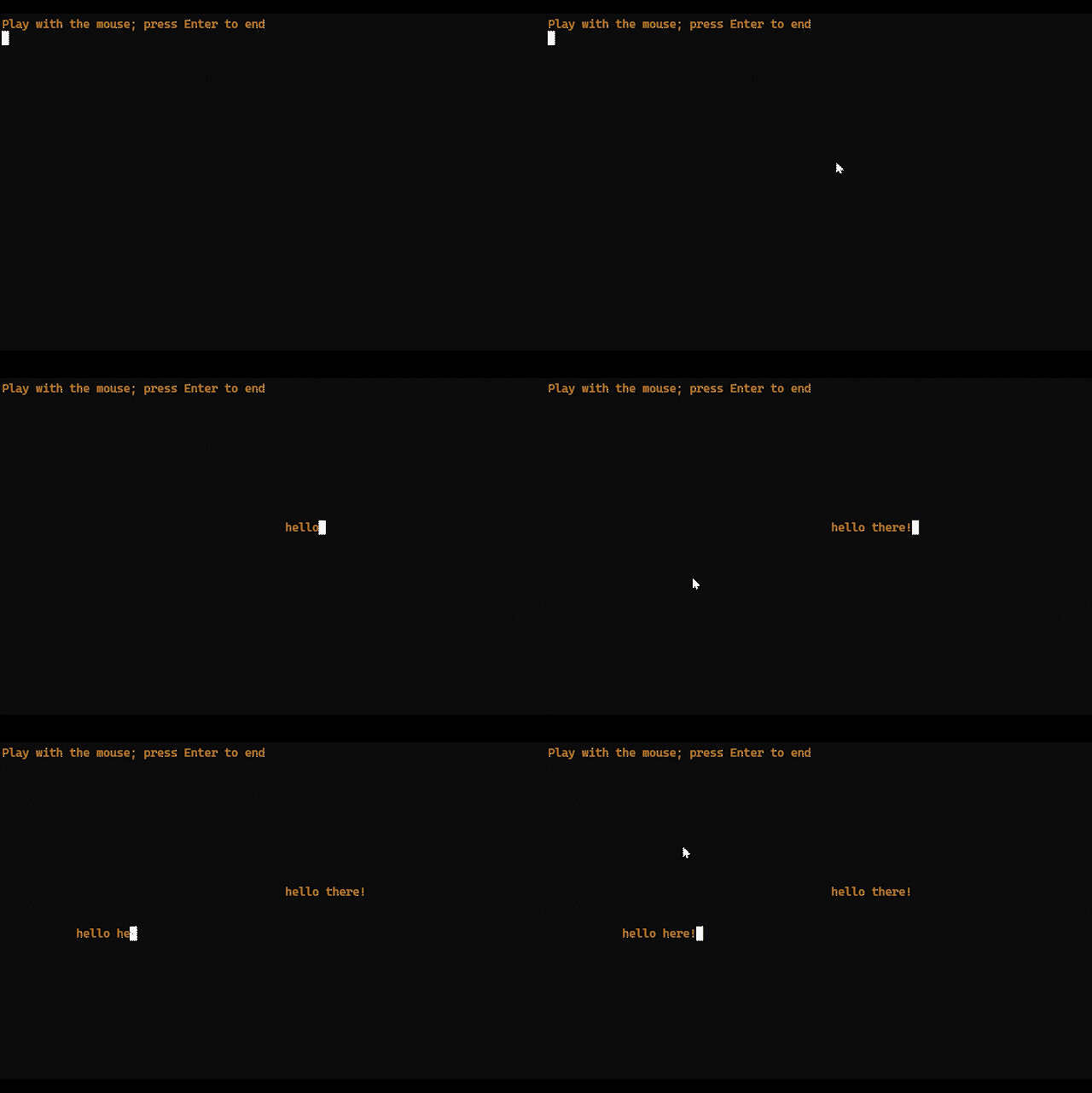
Figure 1. The program’s output: Click the mouse, type some text.
I enjoyed working through this series and coming up with all the fun code to read the mouse and do things with its input. But, seriously, if you need to program the mouse or do mousey things in a terminal window, I highly recommend that you use the Ncurses library to allow for consistency and reliability.