
The point of reading and capturing mouse data is to do something at the mouse’s location. Specifically, the goal is to have the terminal somehow react to a mouse click. Yes, even though C is stream oriented and rarely involves graphics or the mouse, this feat is made possible thanks to ANSI commands.
Last week’s Lesson covered how to capture and store mouse input. For today’s lesson, this data is used along with ANSI cursor manipulation sequences to report mouse movement and to set a character at the location in the terminal window where the mouse is clicked.
Seriously, I didn’t think such a trick would be possible in C without benefit of a library such as Ncurses. But, yes, providing that you’ve followed along with the last few posts here, this feat is entirely possible.
The following code updates what was presented in last week’s lesson. I’ve added two ANSI macros: clear() and moveto() (based on another macro, locate(), presented in an earlier Lesson).
Most of new code appear in the main() function, where the while loop contains an if-else decision to output information based on whether the mouse is moving or has been clicked. The screen is updated to reflect the click and button number.
2026_02_28-Lesson.c
#include <stdio.h>
#include <stdlib.h>
#include <ctype.h>
#include <termios.h>
#include <unistd.h>

#define clear() printf("\e[H\e[2J")
#define moveto(a,b) printf("\e[%d;%dH",b,a)
#define mouse_enable() printf("\e[?1000h")
#define mouse_motion() printf("\e[?1003h")
#define mouse_extended() printf("\e[?1006h")
#define mouse_disable() printf("\e[?1000l")

struct mouse_data {
    int button;
    int column;
    int row;
};

/* read an integer from a string
   Exercise 2026_02 */
char *extract(char *s)
{
    static char *sp;

    /* check for recall */
    if( s != NULL )
        sp = s;
    else
        while( isdigit(*sp) )
            sp++;

    /* find the next digit */
    while( *sp != '\0' )
    {
        if( isdigit(*sp) )
        {
            return(sp);
        }
        sp++;
    }

    return(NULL);
}

/* obtain values from mouse data */
void read_mouse(char *b, struct mouse_data *m)
{
    m->button = atoi(extract(b));
    m->column = atoi(extract(NULL));
    m->row = atoi(extract(NULL));
}

int main()
{
    struct termios original,noecho;
    struct mouse_data mickey;
    char buffer[13];
    int key;

    /* obtain terminal configuration */
    tcgetattr(fileno(stdin),&original);
    noecho = original;        /* duplicate */
        /* enable raw input */
    noecho.c_lflag = noecho.c_lflag ^ ICANON;
        /* disable full duplex */
    noecho.c_lflag = noecho.c_lflag ^ ECHO;
        /* update terminal definition */
    tcsetattr(fileno(stdin), TCSANOW, &noecho);

    /* enable mouse reporting */
    mouse_enable();
    mouse_motion();
    mouse_extended();
    /* remove line buffering */
    setvbuf(stdin,NULL,_IONBF,0);

    /* read stdin */
    clear();
    puts("Play with the mouse; press Enter  to end");
    while( (key=getchar()) != '\n' )
    {
        read(fileno(stdin),buffer,12);
        buffer[12] = '\0';        /* make it a string */
        read_mouse(buffer,&mickey);
        if( mickey.button != 35 )
        {
            clear();
            moveto(mickey.column,mickey.row);
            printf("%d",mickey.button);
            moveto(1,1);
            printf("Button %d clicked at column %d row %d\n",
                    mickey.button,
                    mickey.column,
                    mickey.row
                  );
        }
        else
        {
            clear();
            printf("Mouse moving to column %d row %d\n",
                    mickey.column,
                    mickey.row
                  );
        }
    }

    /* clean-up */
    mouse_disable();    /* disable mouse reporting */
    tcsetattr(fileno(stdin), TCSANOW, &original);
    return 0;
}
The main() function’s while loop monitors standard input. The input is captured and sent to the read_mouse() function. After extraction and storage in the mouse_data mickey structure, an if decision determines whether the “button” value isn’t 35, meaning that a mouse button has been clicked. When true, the button number is output at the click’s position. The else part of the loop reports the mouse’s current location.
The loop repeats until the Enter key is pressed.
Figure 1 shows a sample run.
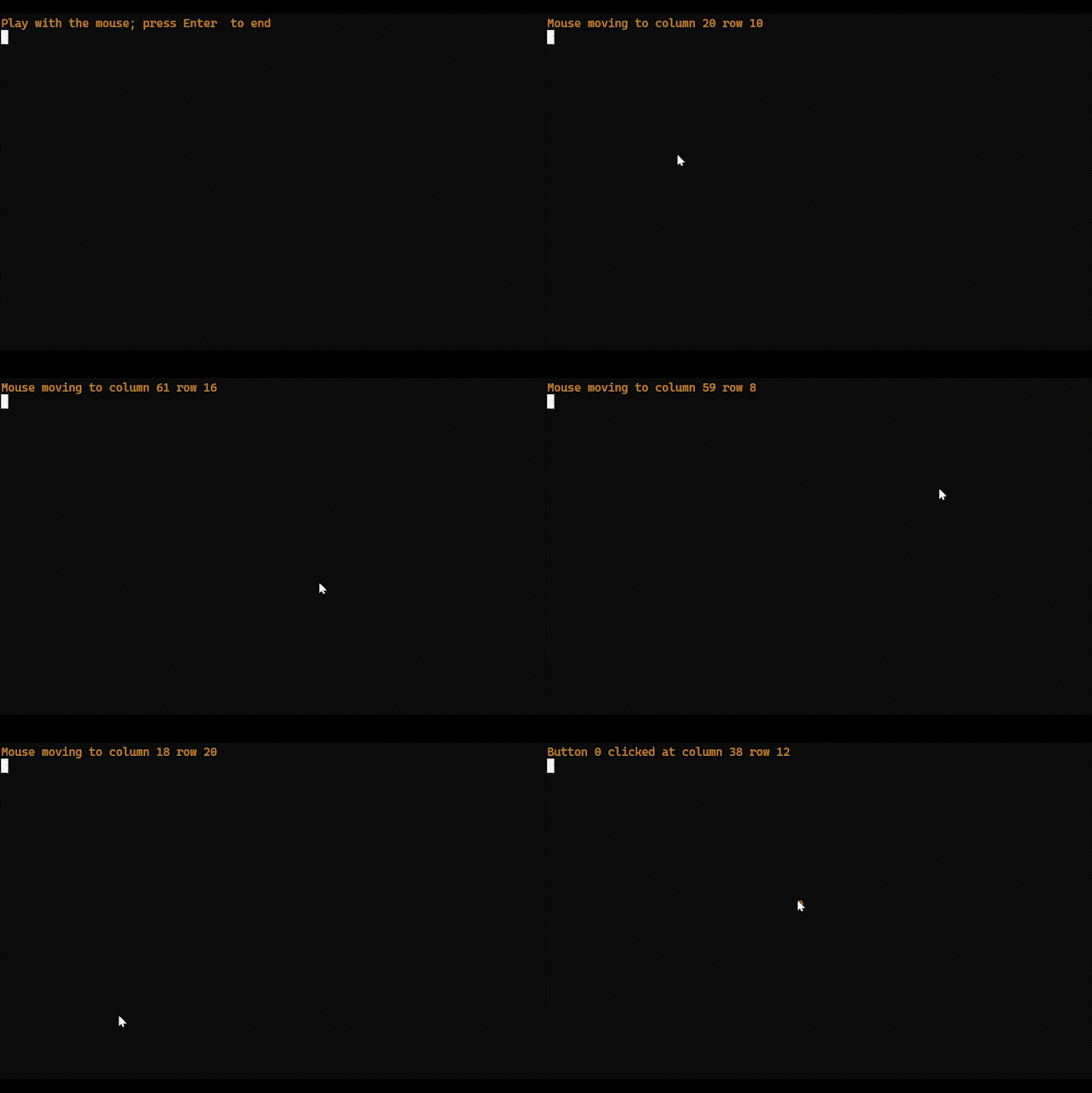
Figure 1. The program tracks mouse movements and clicks.
This code goofs up if the terminal features a scrollback buffer and you drag the mouse on the screen or shift-click. Remember, these are ANSI codes and not a full-screen terminal API like Ncurses. (If the terminal window screws up, use the reset command to set things straight.)
For next week’s Lesson, I wrap up the mouse manipulation series by working with text output at the click points.